Image Processing
I built a Python and Streamlit interface around a NIfTI preprocessing workflow, bringing visualization, denoising, registration, segmentation, edge detection, and skull-removal controls into one place. I have not re-verified the processing pipeline itself.
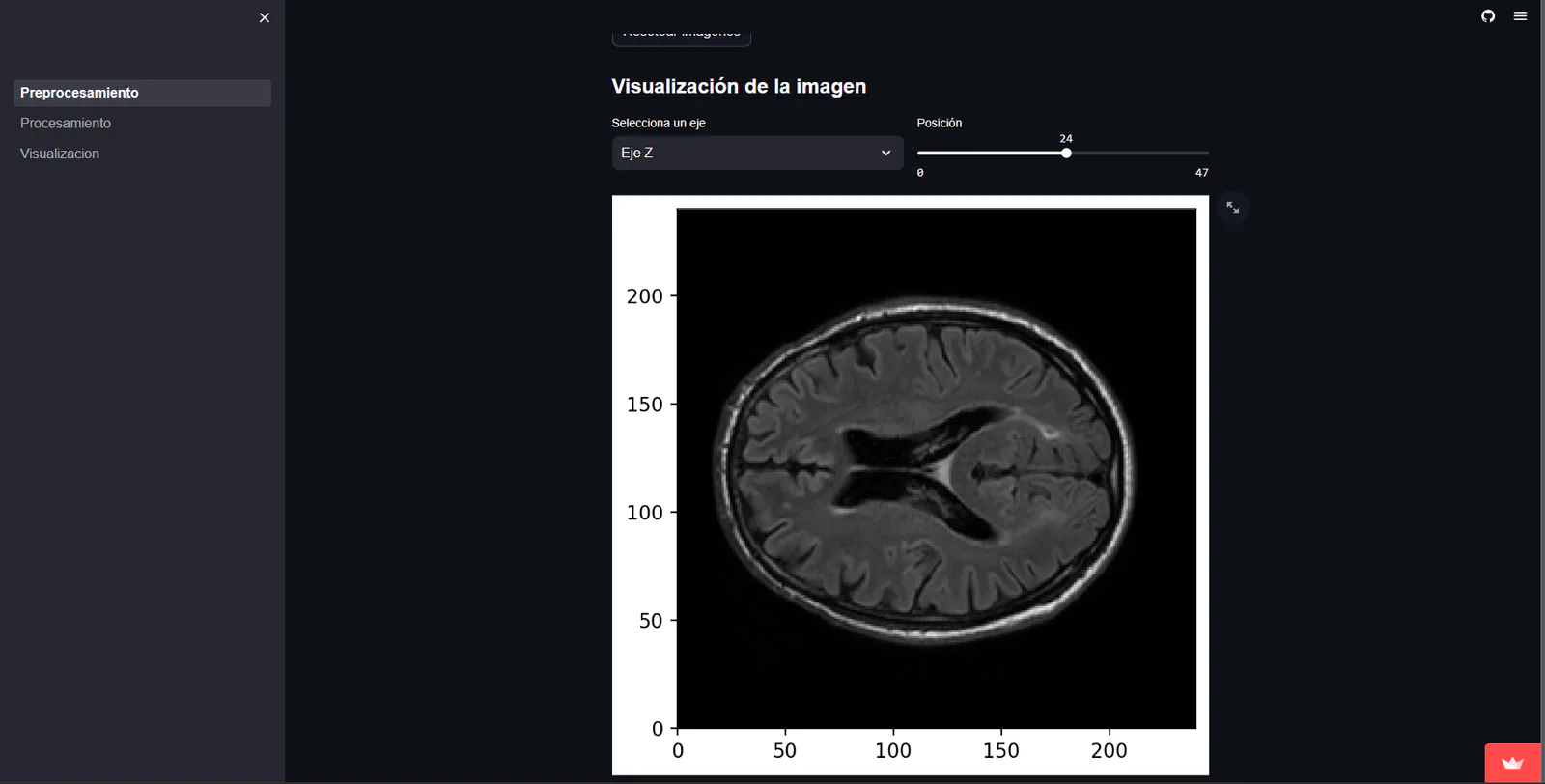
Image 1 of 6: Streamlit interface displaying an axial medical image slice with axis and position controls
01
Problem
Running every preprocessing operation as a separate script made the workflow hard to explore, so I wanted each step and its visual feedback in one place.
02
Constraints
- I had to work with large, specialized NIfTI data
- I treated every medical image as sensitive by default
- I needed each processing step to have understandable controls and a visible preview
- I kept patient and clinical files out of this case study
03
Technical decisions
- I built the interface in Python
- I used Streamlit so I could iterate quickly on controls and previews
- I organized the interface around separate preprocessing stages
- I put a visual preview beside each set of controls so the intended transformation stayed understandable
04
Evidence
- I still have the public Python source for the Streamlit interface; processing execution remains unverified
- I did not copy medical datasets, patient files, or clinical records into this public case study
- I could not re-verify processing execution because the hosted app remained on its loading screen after I requested a wake-up
05
What I learned
What stayed with me from this project is the value of making technical transformations observable while treating medical data as sensitive from the start.